

Suffolk Computer Consultants Blog

Suffolk Computer Consultants, Inc. Blog

Suffolk Computer Consultants, Inc. has been serving the Speonk area since 2013, providing IT Support such as technical helpdesk support, computer support, and consulting to small and medium-sized businesses.

Tip of the Week: Using Word to Create Company Letterhead

Tip of the Week: Using Word to Create Company Letterhead

There’s a lot to be gained by utilizing a company letterhead on your correspondence and other printed materials, especially in terms of company recognition and professional impression. Utilizing Microsoft Word makes it easy to add this detail to your documents. For this week’s tip, we’ll show you how easy it is to create a letterhead in Word.

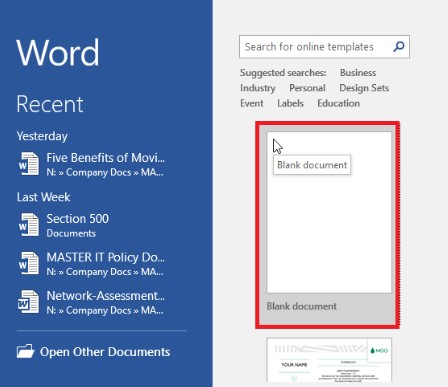
  1. Open Microsoft Word by clicking on it in the Start Menu, or the desktop icon.
  2. Create a blank, portrait document.

    word letterhead ib 1
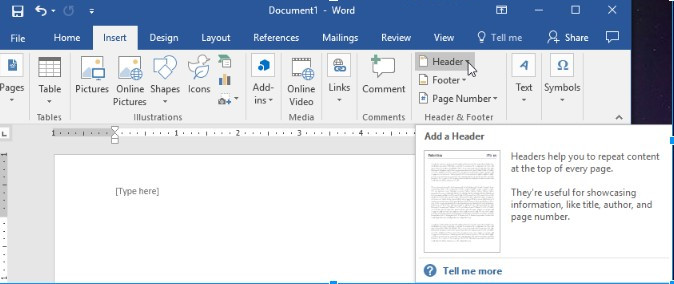
  3. Open Header in the Insert Toolbar.

    word letterhead ib 2
    .
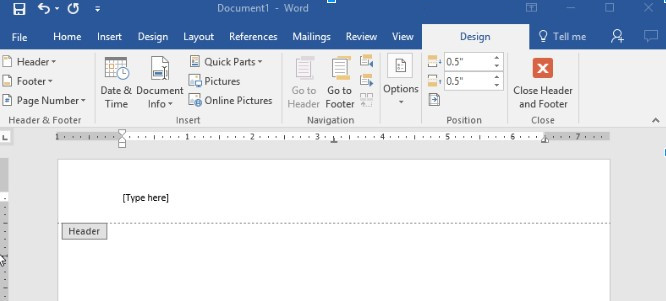
  4. Place your cursor into the header near [Type here].

    word letterhead ib 3
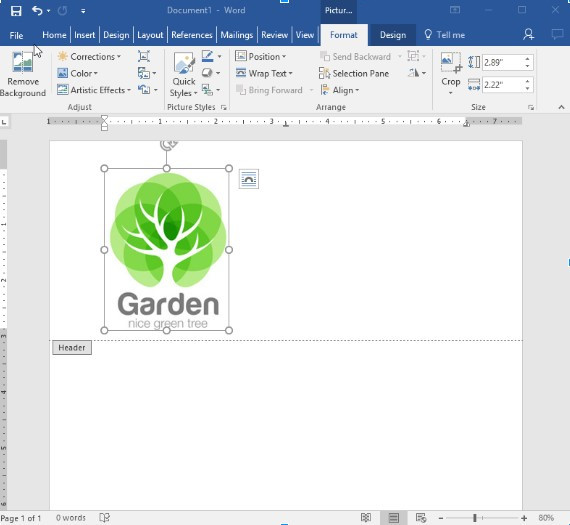
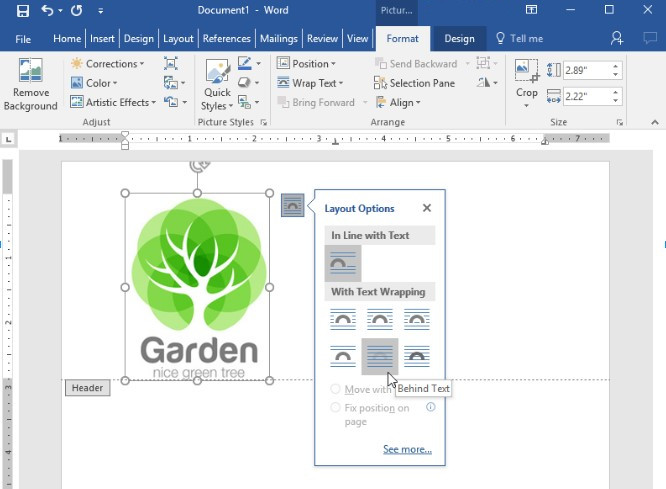
  5. Insert your company logo.

    word letterhead ib 4
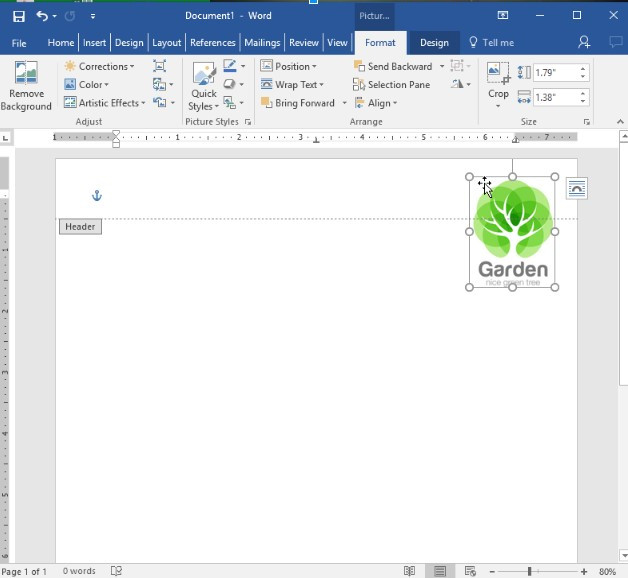
  6. Resize and reposition, as necessary.

    word letterhead ib 6

    word letterhead ib 7
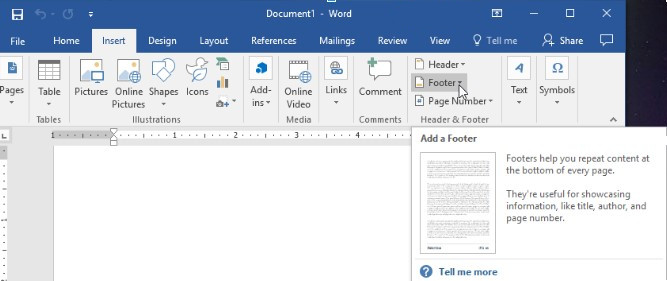
  7. Open the footer by accessing it under the Insert menu.

    word letterhead ib 8

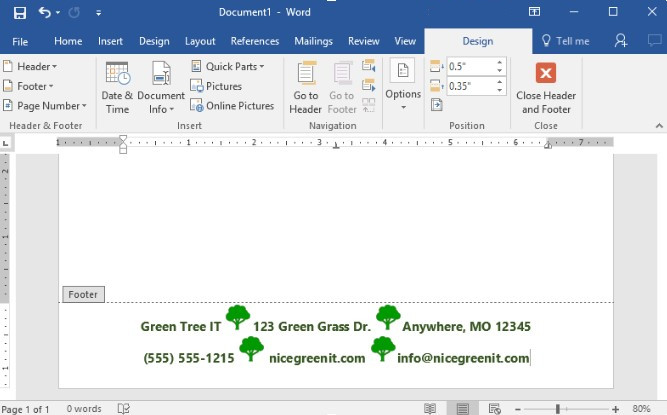
  8. Add your physical location’s address and the rest of your contact information. This section should be stylized to match your company’s branding, while remaining easily legible.

    word letterhead ib 9

  9. Check to see that your letterhead looks good on the page by using Print Preview to view the page as it will be produced. Make any revisions necessary and repeat.

    word letterhead ib 10

To save your new letterhead as a template, simply Save As any of the following formats: .dotx, .dot, or .dotm. You now have a simple company letterhead to use in your communications. For more tips, tricks, and how-tos, make sure you check back here on our blog!

Why Both Halves Of Your Security Are Equally Impor...
The Cloud Is Now Officially In Retail -- Will You ...
 

Comments

No comments made yet. Be the first to submit a comment
Guest
Already Registered? Login Here
Sunday, 11 January 2026

Captcha Image

About Suffolk Computer Consultants

Suffolk Computer Consultants has been serving the New York area since 2013, providing IT Support such as technical helpdesk support, computer support and consulting to small and medium-sized businesses. Our experience has allowed us to build and develop the infrastructure needed to keep our prices affordable and our clients up and running.

get a free quote

Understanding IT

Get the Knowledge You Need to Make IT Decisions

Technology is constantly evolving, and keeping up can feel overwhelming. Whether you want to understand cybersecurity threats, explore automation, or learn how regulations like PCI DSS impact your business, we’ve made it easy to access clear, straightforward insights on key IT topics.

Insights to Understanding IT

Contact Us

295 Montauk Highway Suite 12
Speonk, New York 11972

Mon to Fri 9:00am to 6:00pm

[email protected]

(631) 905-9617